
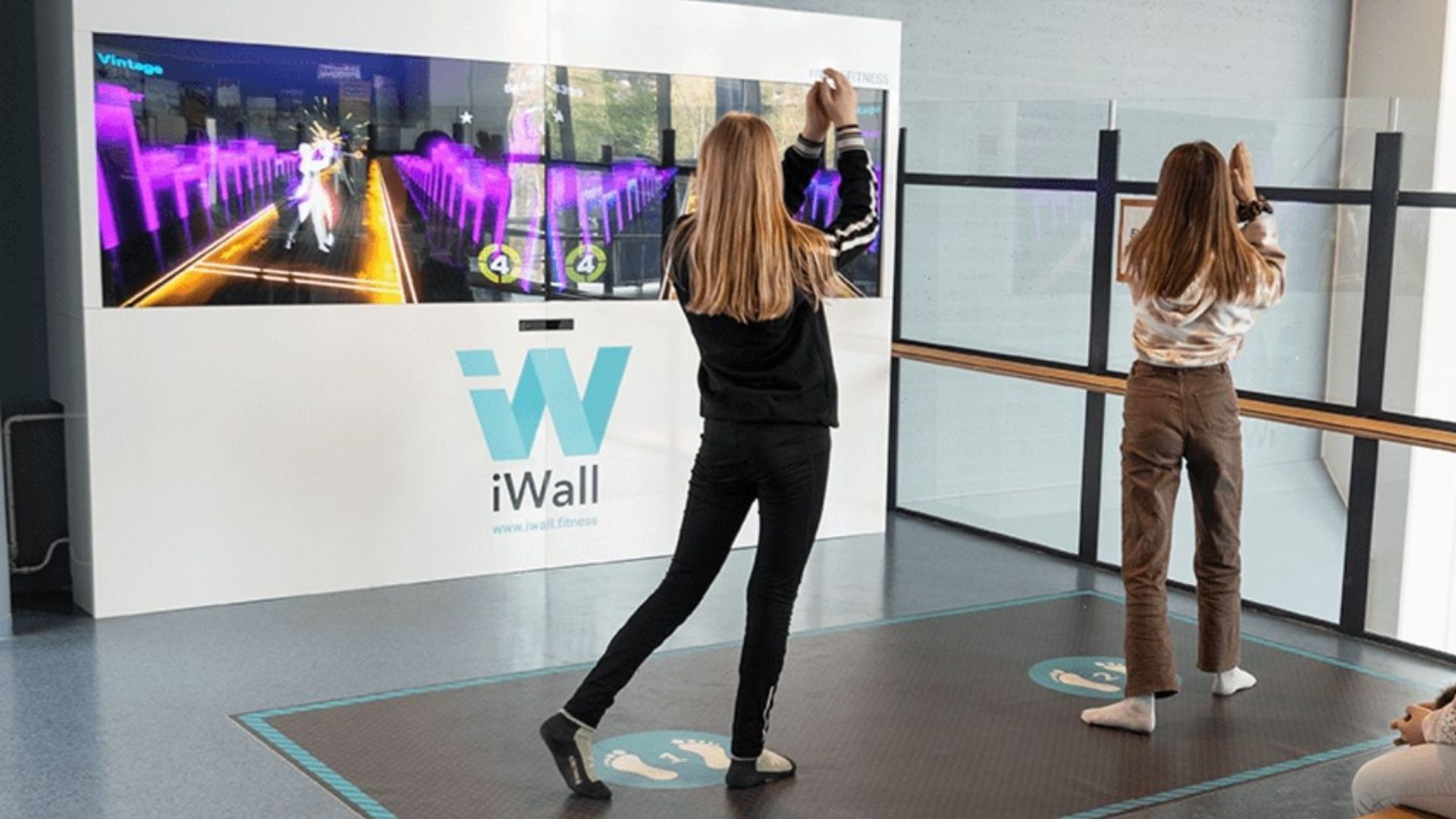
Viherlaakso School in Finland introduced iWall — an exercise gaming solution that utilizes smart floors that are nonreflective, nonglossy, and free of any dark or busy patterns that could interfere with projection and motion tracking. | Photo Credit: CSE
By Evelyn Long
Modern educational institutions require engaging digital learning tools to meet the growing needs of students. However, there’s also the challenge of combating screen fatigue — a common occurrence in the age of electronic devices. Integrating interactive, projection-based surfaces offers a smart solution that promotes digital learning while reducing the risk of technology overload.
The Rising Cases of Screen Fatigue
Gadgets are indispensable in a modern student’s life. The increasing dependency on electronics is leading to high levels of screen time, with teenagers aged 15-17 being more likely than those aged 12-14 to spend four hours or more on devices daily. This phenomenon can cause computer vision syndrome or screen fatigue, which may lead to eye discomfort, blurred eyesight, trouble keeping eyes open and headaches.
Aside from smartphones, computers and TVs, traditional screen-based technologies, such as tablets and smartboards, can contribute to this issue.
How to Transform Surfaces into Interactive Learning Devices
The prevalence of screen fatigue necessitates the development of more advanced technologies, such as interactive walls and floor-based activities. Here’s how designers and engineers can collaborate to build a space that fosters sustained student engagement and well-being.
Use Softer, Ambient Color Schemes
Studies have shown that text colors and ambient light conditions can contribute to visual fatigue and impair cognitive performance. Calming colors, such as muted greens, blues or light grays, are excellent choices for interactive surfaces. This approach can help reduce overstimulation from bright hues.
Warm tones like yellow and orange must be used sparingly for interactive elements that need to stand out. A touch of red is enough to draw attention to a specific area or button, while yellow can be used to evoke excitement among students.
Prioritize Projection Over Direct Screens
Projectors offer more flexibility than direct screens, providing more visibility in large spaces. When the whole class can see it, they are more likely to engage in lessons, making it easier to learn and collaborate in rooms of various sizes.
Some projectors emit blue-enriched white light, which contains blue light wavelengths. Institutions and experts recommend using orange text on a black background, rather than the standard black text on white, to help boost viewing clarity.
Select the Right Surface Material
Professionals should opt for durable, nonreflective and light-colored matte finishes for floors and walls to ensure the projected image is clear and to prevent distracting reflections.
For instance, Viherlaakso School in Finland introduced iWall — an exercise gaming solution designed to enhance students’ learning experience. It utilizes smart floors that are nonreflective, nonglossy, and free of any dark or busy patterns that could interfere with projection and motion tracking.
Conduct a Thorough Site Assessment
A thorough site evaluation is essential for renovating existing spaces. This is especially important in older school buildings because hazardous materials may be present. For instance, asbestos can trigger lung disease, which is why the demolition or renovation of an asbestos-containing structure must follow the National Emission Standards for Hazardous Air Pollutants.
Project leaders must implement safety training to prevent exposure to hazardous materials during installation. They must also confirm if the rooms have adequate ventilation to dissipate the heat generated by projectors, sound systems and other electronic devices.
Ensure Inclusive Access
Interactive walls and floors encourage physical movement. A study suggests that whole-body play activities can help autistic children boost self-control and reduce negative behaviors. Research author and University of Delaware professor Anjana Bhat stresses the importance of gross-motor activities.
“Such regular physical activity has the potential to improve their child’s attentional focus, executive functioning, socialization, and would give them a sense of belonging/achievement, when done solo at home or in a small group format in the community,” she says.
Designers and engineers must develop the system to be usable by students with physical and cognitive disabilities. This includes ensuring gesture controls that are not overly dependent on precise fine-motor skills.
Learn more about the benefits of interactive technology in schools in the November/December Technology issue of School Construction News.
Evelyn Long is a commercial interior design writer with specialized expertise in accessible, ADA-friendly spaces and designing environments that support mental health and inclusivity.